
How it works
From your product file to every buyer's catalog.
SupplierForge sits between the catalog you already maintain and the procurement systems your buyers run. You keep one catalog and one price per buyer; we turn that into each buyer's format, deliver it on their schedule and keep the record.
01 · Intake
Any way your catalog already exists
CSV, Excel, an SFTP drop, API or JSON, or a connector to your ERP. Validation checks required fields on arrival, before anything reaches a buyer.
02 · Price books and templates
Your prices, their columns
Each connection applies a buyer's price book and maps your items to the buyer's template and categories. A format change on their side is our job.
03 · Delivery
Pushed, pulled or live
SFTP push or pull, API, OCI or PunchOut, and EDI. Scheduled per buyer, retried on failure, never sent outside the buyer's window.
04 · Proof
A record you can point to
Run log, delivery status per destination, and the ability to restore your catalog to any earlier point when a buyer asks what changed.
What a connection is.
A connection is one buyer system receiving your catalog. Each connection carries its own settings, so two buyers never share a template, a price or a schedule.
Your catalog
One product record
Connection
Buyer system
Their format, their schedule
You set the prices and, where the buyer requires them, the buyer-specific fields. We set up the template, the channel and the schedule, and test the first delivery with you. After that, every change you make flows to the buyer automatically.
Category mapping
Every buyer files your products differently. We handle the filing.
Each buyer's system expects your products in its own category scheme, and some require extra fields per product before a catalog is accepted. In SupplierForge those live on the connection, not on your catalog: you keep one product record, and each connection adds what that buyer needs.
You can map categories yourself, product by product or in bulk from a list of unmapped items, or ask us to map a product batch for you as a one-time service. Either way the mapping lives on the connection, so a product mapped once stays mapped for that buyer.
Manual
Map in the product form or in bulk
Service
We map a batch for you
Price books
One list price. A rule or a price per buyer.
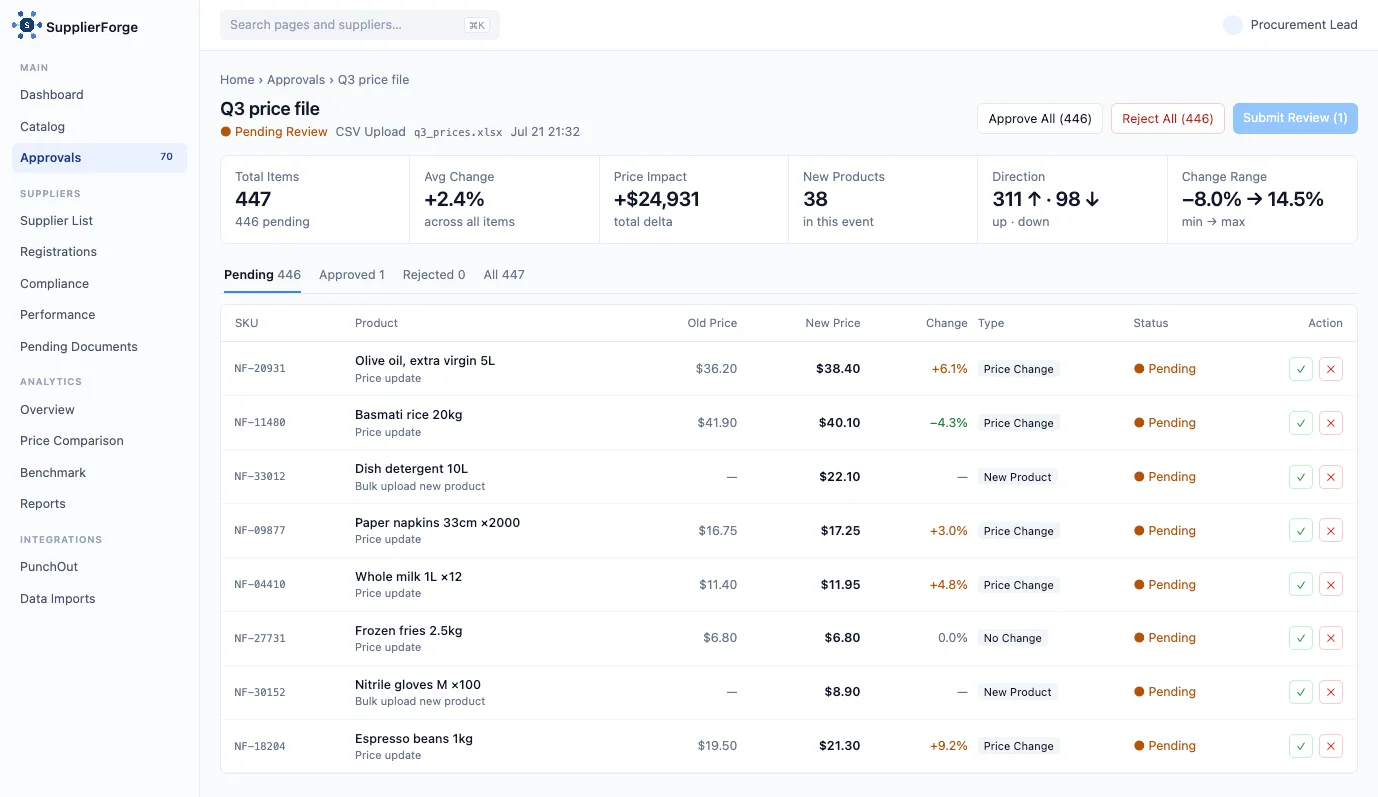
Set a percentage off your list price for a buyer, or fixed prices per product where the agreement says so. When your list price moves, every buyer's price follows its rule, and you can review the resulting changes before they go out. A product without a price for a buyer is simply not sent to that buyer. Prices are delivered as net prices, in the currency you keep them in.
Delivery
Delivered on the buyer's schedule.
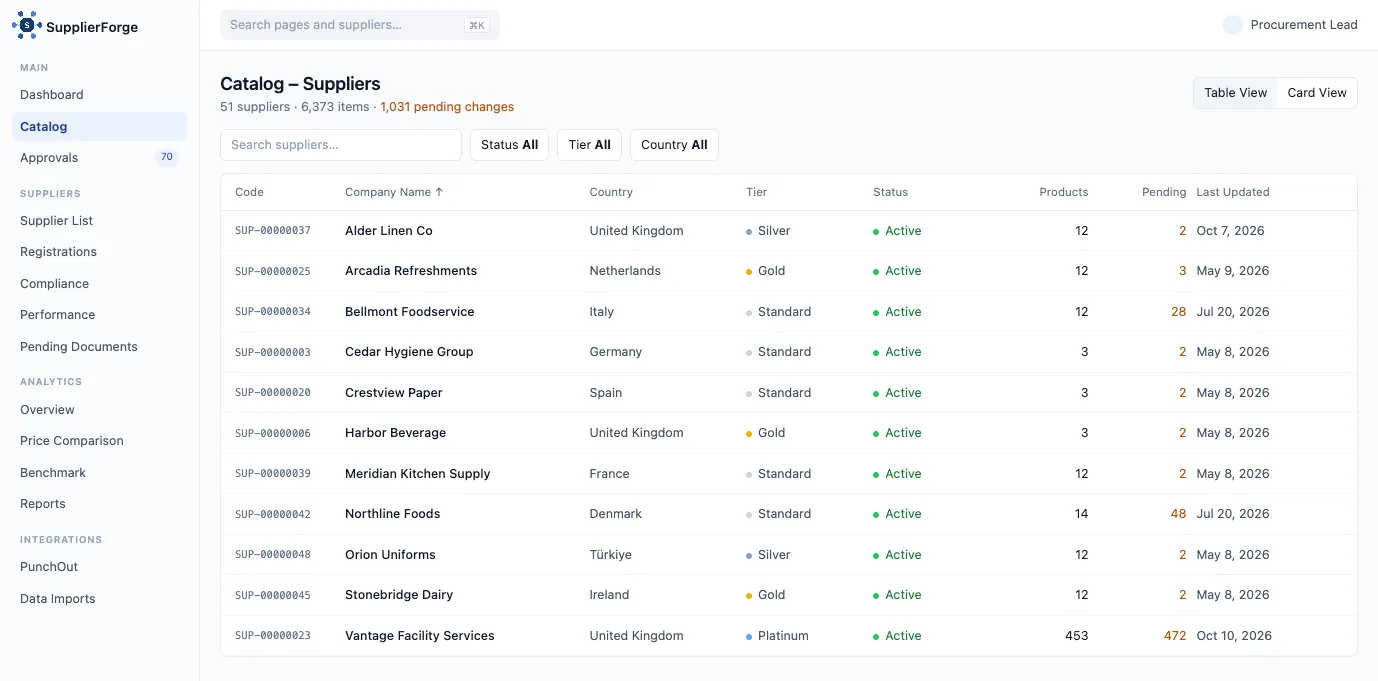
See every system we deliver to
Changes only
A sync sends the products that changed since the last successful delivery. A five-thousand-item catalog with one price change sends one row. Where a buyer's template only accepts full files, we send the full file, and only when something changed.
On their schedule
Each connection delivers in a window or at a pinned time that fits the buyer. Failed deliveries are retried; nothing is sent outside the window.
With a brake
Before a delivery goes out, the change set is checked against limits you can see. An unusually large price swing or an unexpected number of changes holds the run until someone on your side releases it.
Proof
A record you can point to.
Every run is logged per connection: what was sent, when, to which buyer, and whether it was picked up. When a buyer says an item is missing or mispriced, you look at the log instead of your inbox. If a change went out that should not have, you can restore your catalog to any earlier point and let the next run correct it.
Who does what.
You
SupplierForge
Upload and maintain your catalog (CSV or Excel).
Validate it on arrival and keep the master record.
Set a price rule or fixed prices per buyer.
Apply them on every delivery.
Fill buyer-specific fields and categories, or ask us to map a batch.
Keep each buyer's template current when the buyer changes it.
Choose who on your team can upload, approve or view.
Enforce it: owner, approver, editor and viewer roles.
Release a held run when the brake triggers.
Deliver, retry and log every run.
Ask for a new buyer connection.
Set it up, test it with you and hand it over with a recorded onboarding session.
Live in days, not quarters.
Tell us about your buyers.
Which systems they run and how many connections you need.
We set up the connections.
Template, channel, schedule, and a test delivery for each buyer.
You go live.
One onboarding session for your team, then every change flows automatically.